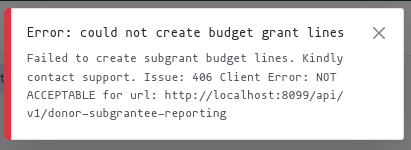
Budget Lines Submission
In the grantee instance of KujaBuild, a user is able to submit budget lines to the donor instance of KujaBuild. The donor instance will then be able to record the submitted budget lines.
In order to be able to submit budget lines to the donor instance:
The grantee must have created budget lines in the Budget Lines page.
The donor must have shared their Donor Reporting Endpoint i.e their deployed instance of KujaBuild.
The donor must have activated the Grant Tenant Communication module and generated an API Key for the grantee.
The grantee must have activated the Grant Tenant Communication module and entered the API Key generated by the donor in the Grant page.
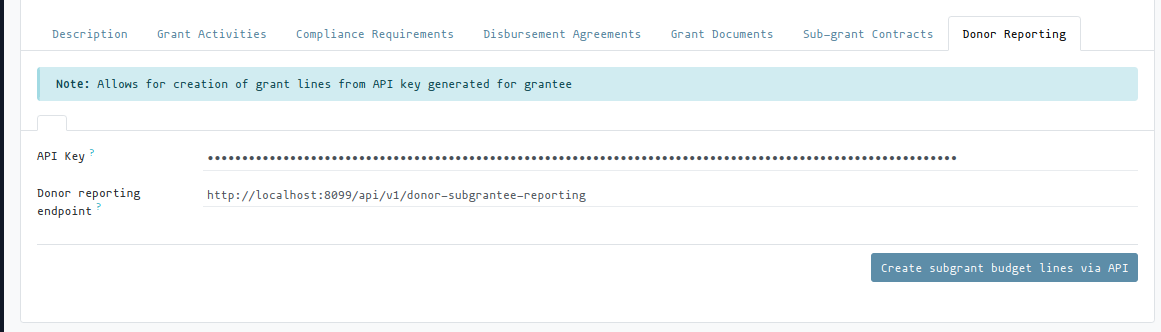
The grantee must have recorded the Donors Reporting Endpoint in the Donor Reporgin page section of the grant.
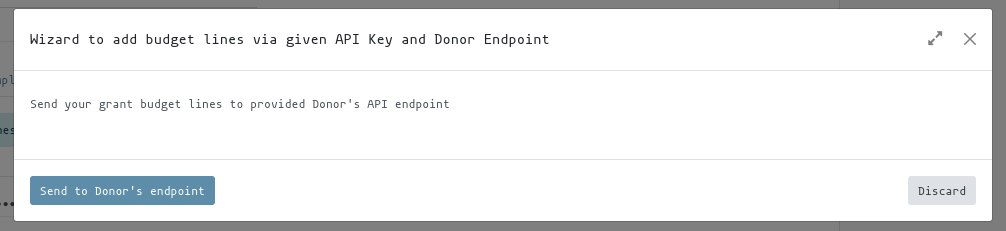
To submitt the budget lines to the donor, click on the Submit button in the Donor Reporting page section of the grant.
Donor reporting page in Grant
User warning in the event of missing entries e.g API Key or Donor reporting endpoint (provided by Donor)

Donor reporting submission wizard
User warning in case of missing budget lines

Informative feedback in case of issues: