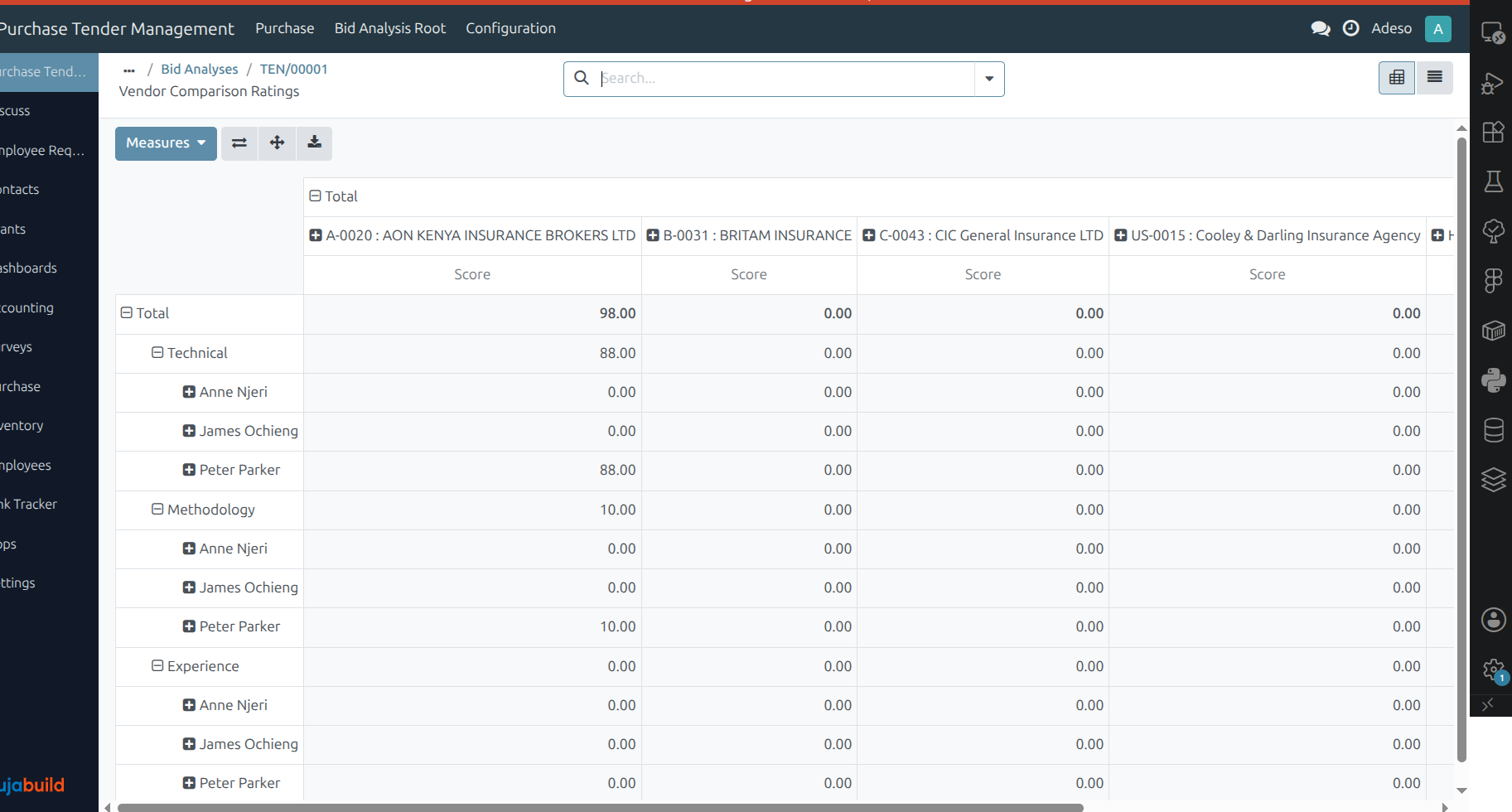
Analyze and score vendor bids
For tenders that require a documented, multi-criteria decision, such as public tenders or purchases above an internal approval threshold, price alone is rarely enough to select a vendor. A bid analysis lets an evaluation committee score every vendor against weighted criteria (for example, technical capacity, delivery time, or compliance) and records a single, auditable recommendation.
Important
This feature requires the Purchase tender management module described in Create and manage tenders to be installed first, as a bid analysis is always linked to a purchase tender.
Configuration
Define evaluation types
An evaluation type groups related criteria into a stage of the assessment (for example, Technical, Financial, or Compliance). Go to and create one record per stage, in the order they should be scored.
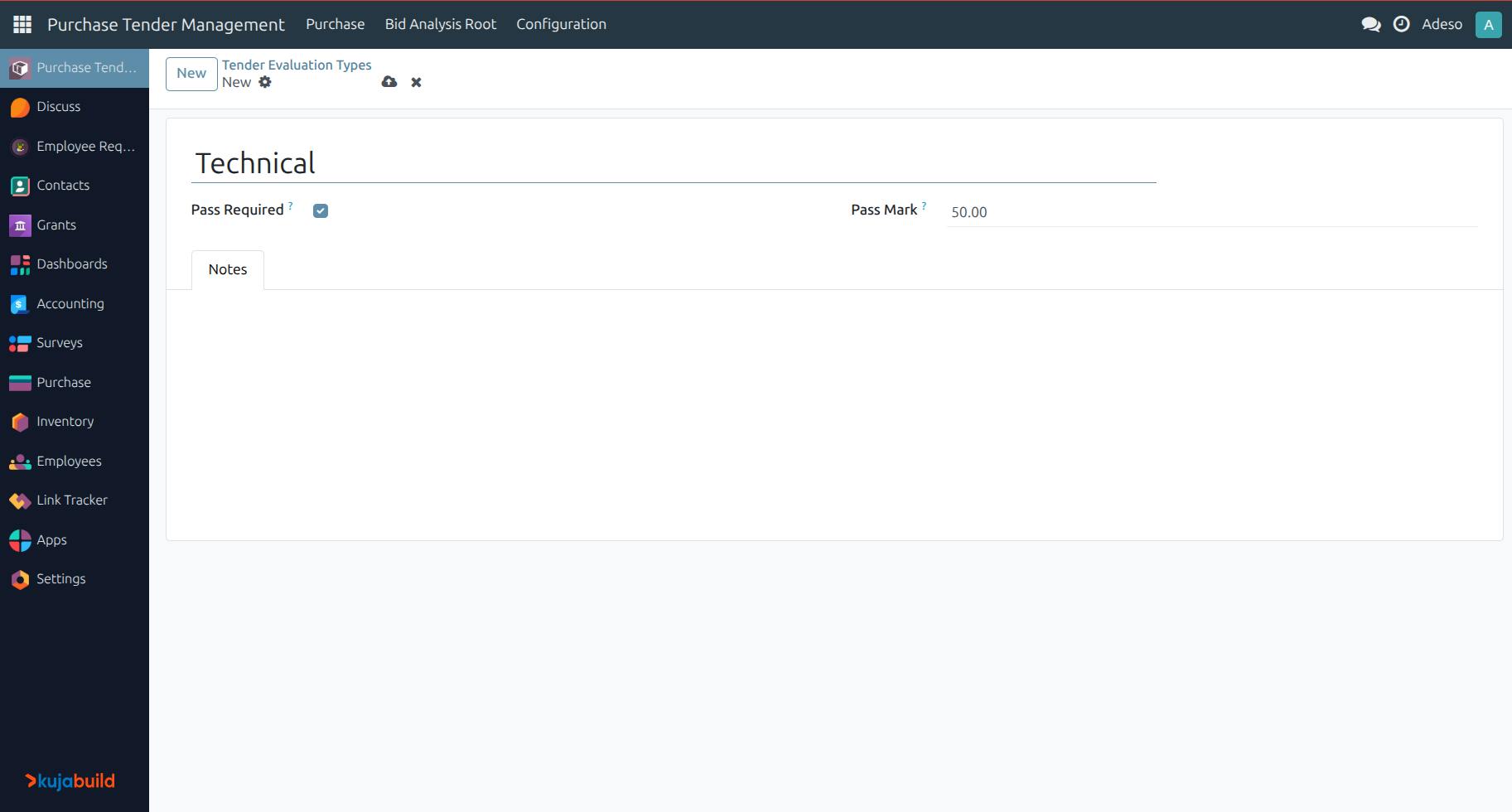
For a stage that vendors must pass before moving to the next one, check Pass Required and set a Pass Mark. A vendor who fails to reach this mark automatically has their remaining, unscored stages set to zero, so the committee can immediately see which vendors moved forward.
Build a criteria template
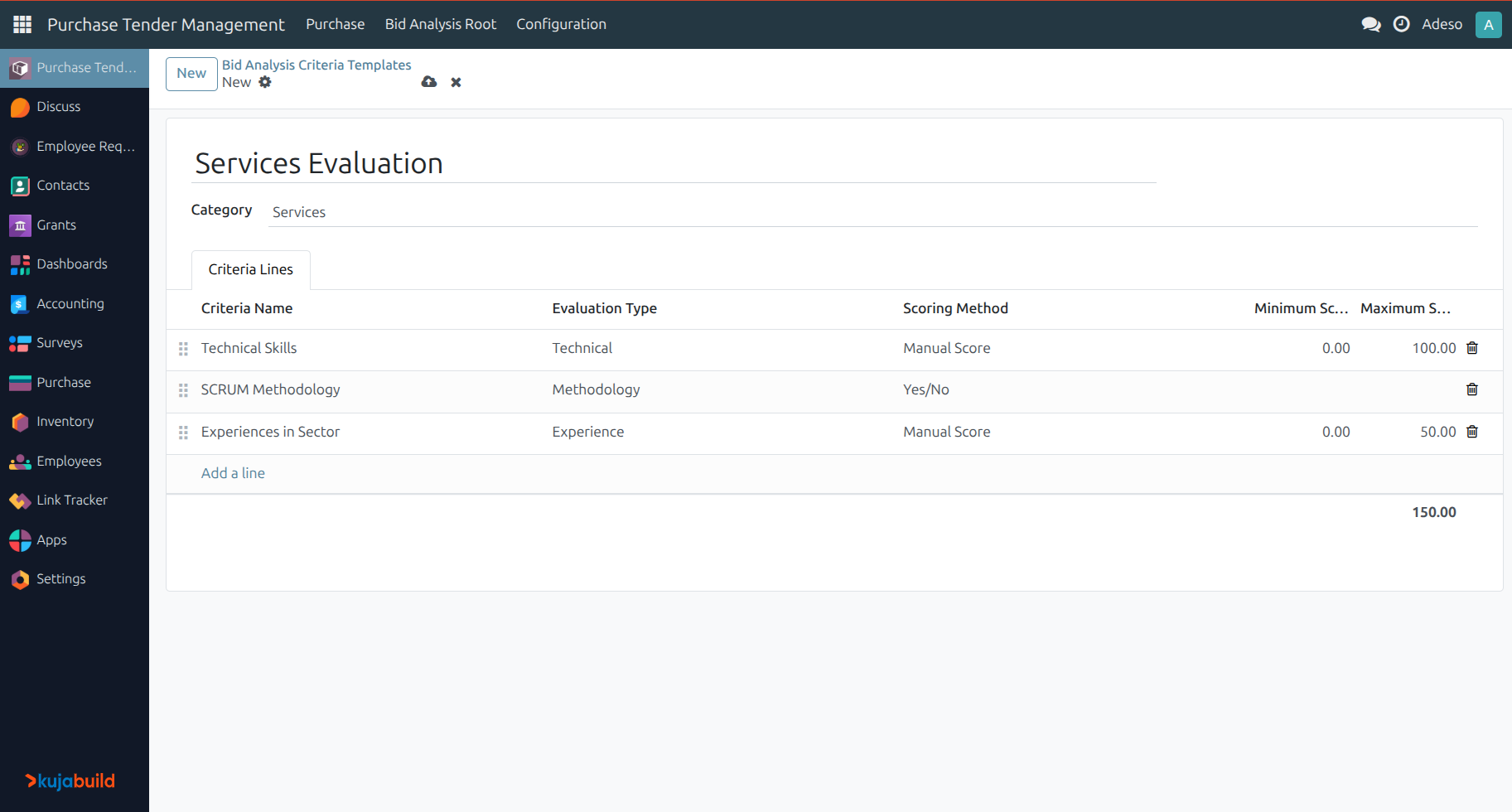
A template groups the individual criteria that make up a bid analysis, so that a consistent scorecard can be reused across similar tenders. Go to , create a template, select a Category (Goods, Services, or Works), and add one criteria line per row on the Criteria Lines tab. For each criterion, select an Evaluation Type and a Scoring Method:
Manual Score: the committee enters a numerical score between a Minimum Score and a Maximum Score set on the line.
Yes/No: the committee marks the criterion as met or not; Yes scores 10 points and No scores 0.
Create a bid analysis
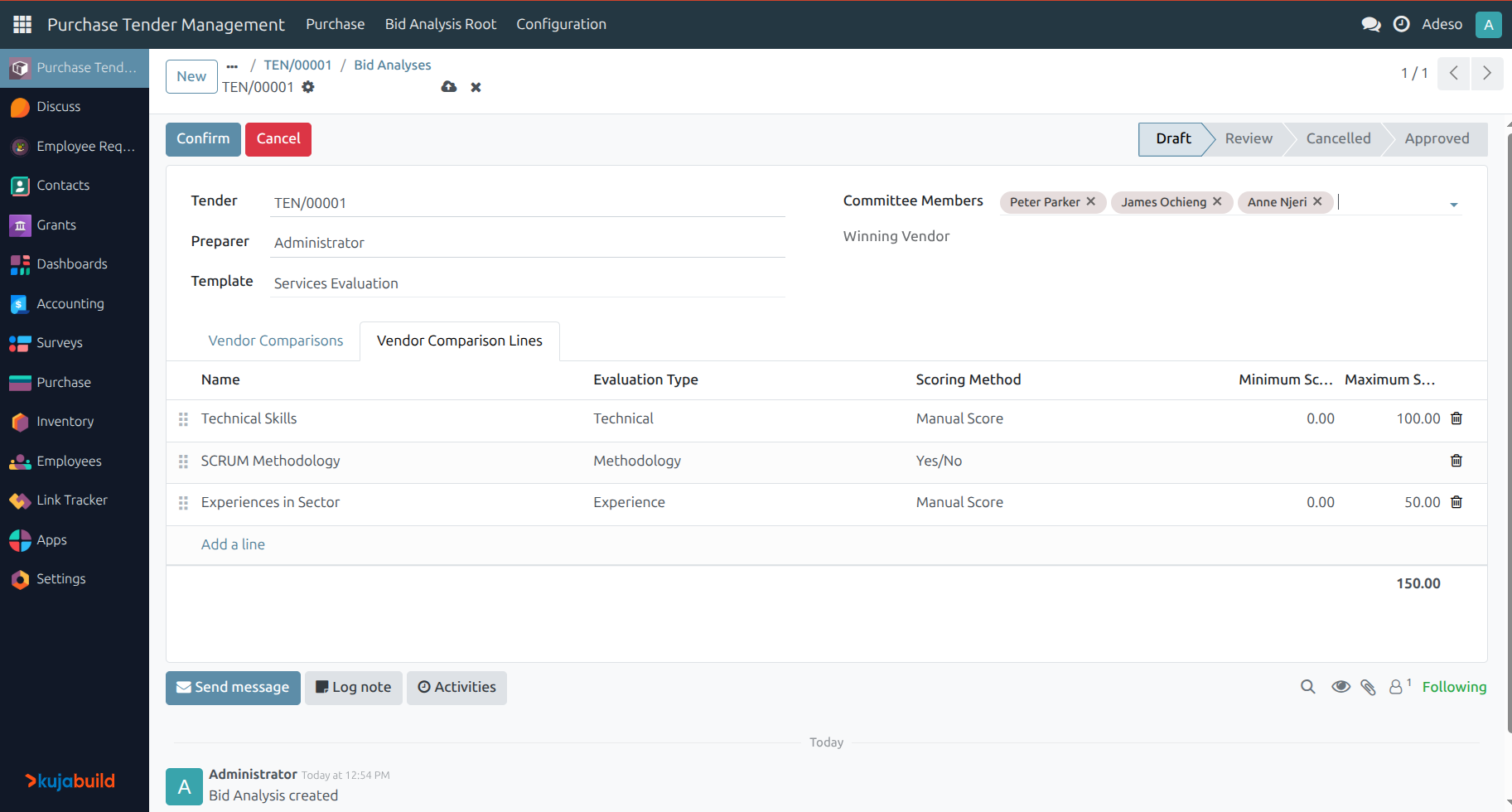
Once a tender reaches the Bid Selection stage, click the Bid Analyses smart button on the tender, then select the automatically created Bid Analysis record. On the form you will see:
Tender: the tender under analysis.
Preparer: defaults to the current user.
Committee Members: the internal users who will score the vendors. At least two members are required.
Template: selecting a criteria template automatically populates the Vendor Comparison Lines tab; the lines can still be adjusted manually. At least three lines are required.
Note
A bid analysis is automatically created for a tender as soon as it is validated, with one vendor comparison line prepared for every vendor invited to the tender. This draft can be completed and confirmed, or removed and rebuilt from a template if preferred.
Score the vendors
Click Confirm to move the bid analysis to the Review stage. KujaBuild then creates one rating per combination of committee member, vendor, and comparison line, and locks the Vendor Comparisons and Vendor Comparison Lines tabs.
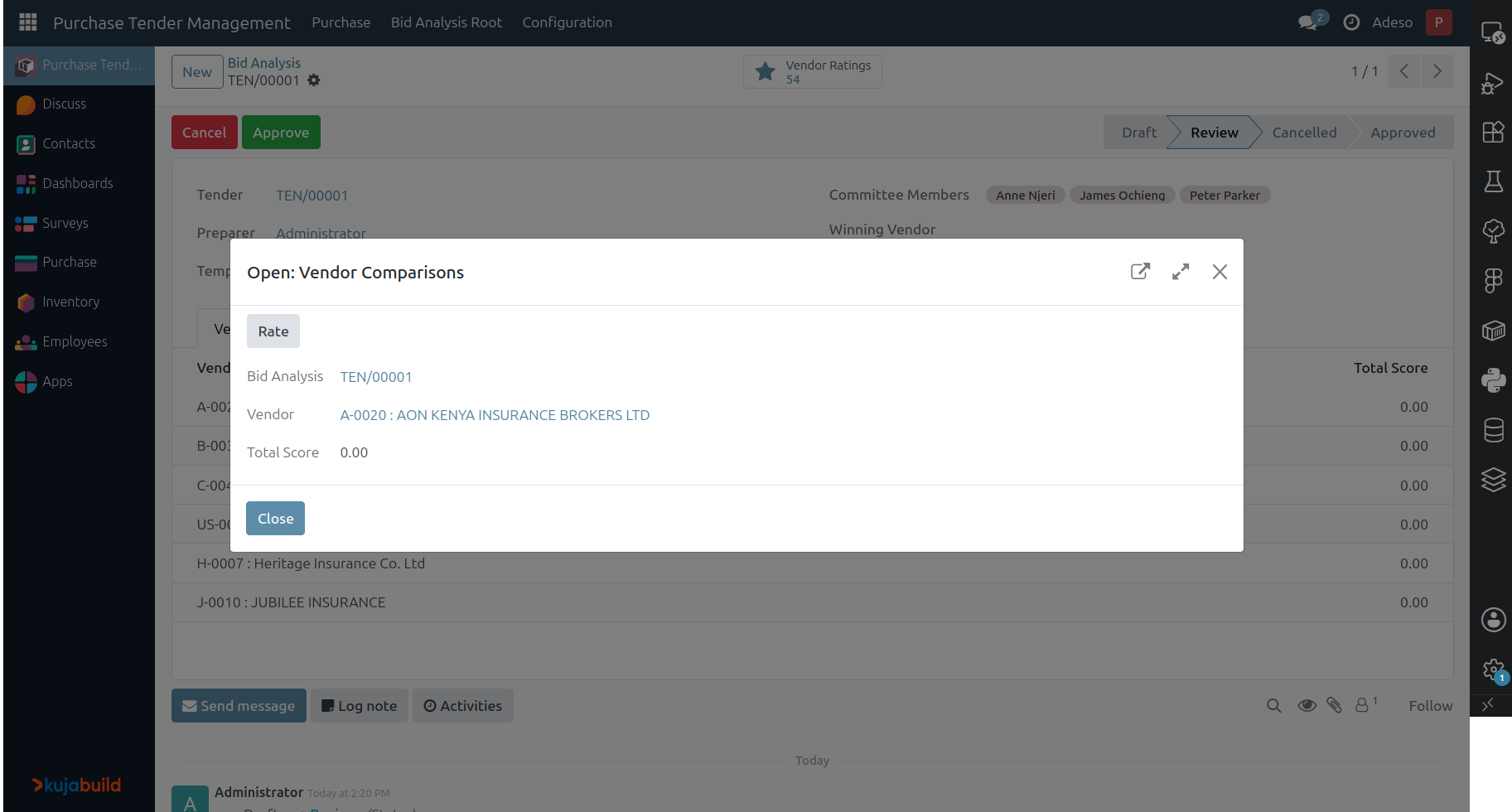
Each committee member opens their ratings from the Vendor Ratings smart button, or from the Rate Vendor wizard opened directly from a vendor comparison line. The wizard steps through every criterion in sequence, grouped by evaluation type, and lets the member enter a score or a Yes/No answer and optional comments before moving to the next item with Next.
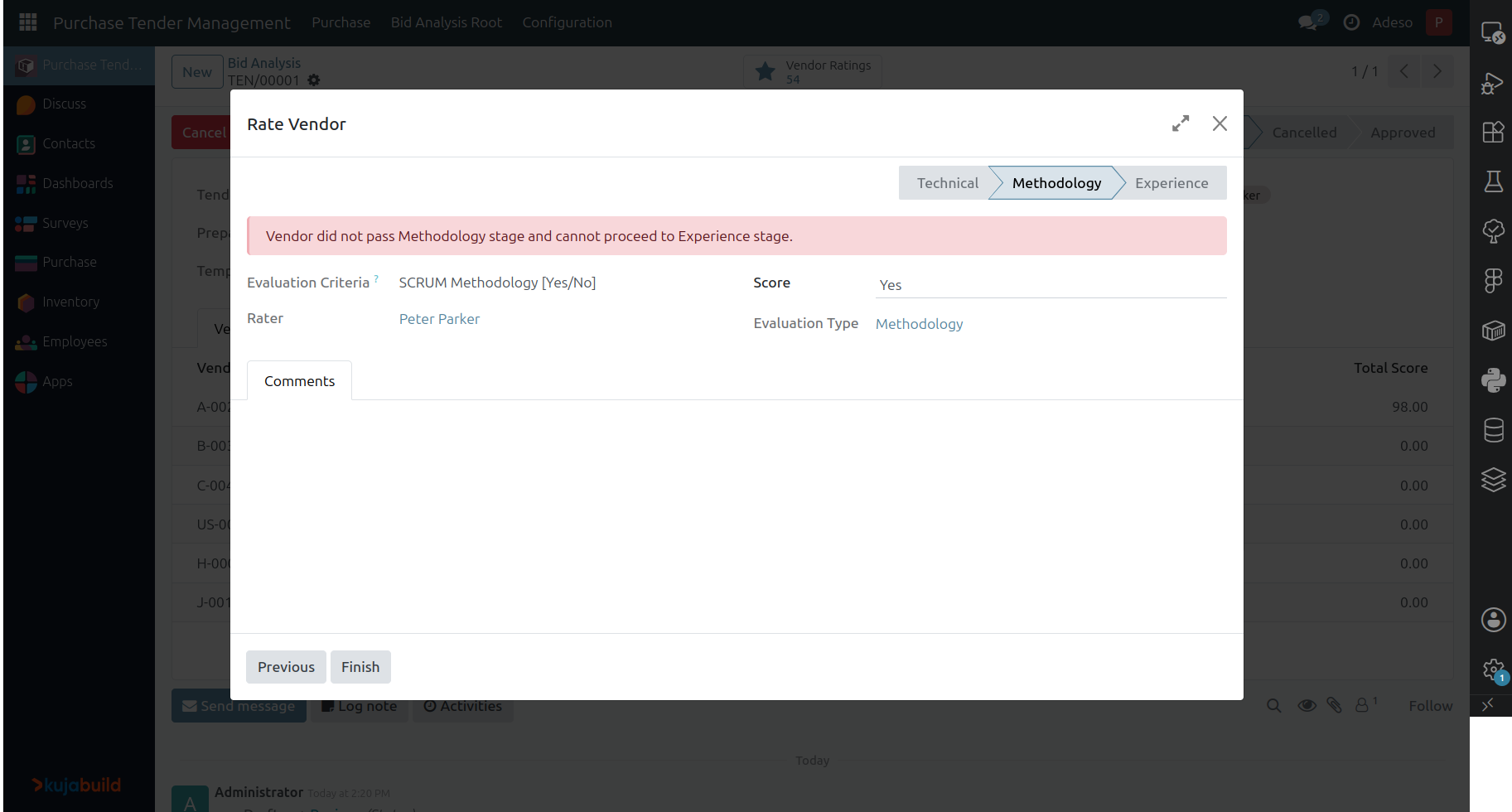
If a criterion belongs to a stage with a pass mark and the vendor’s cumulative score for that stage falls short, the wizard stops there for that vendor: later criteria are not shown, and their scores are reset to zero.
Approve the analysis
Once every committee member has rated every vendor on every line, click Approve on the bid analysis. KujaBuild computes each vendor’s Total Score as the average of the committee’s scores across all criteria, sets the vendor with the highest total score as the Winning Vendor, assigns that vendor on the related tender, and closes the tender.
Use Set to Draft to reopen a cancelled analysis, or Cancel to discard a draft or in-review analysis; confirming it again regenerates the ratings from scratch.
Print the vendor comparison report
From an approved (or in-progress) bid analysis, use to generate a PDF Vendor Comparison Report, listing each vendor’s total score followed by a detailed, line-by-line breakdown of every committee member’s rating, suitable for attaching to the purchasing decision record.