Cost Centre Allocations
Cost centre allocations track the distribution of grant funding - via budget lines - to specific cost centre budget lines.
Prerequisites
In order to leverage analysis of cost centre allocation tracking, the following need to exist and have been configured properly:
Approved grants
Grant budgets
Cost centre budgets
Making Allocations
To start making allocations on cost centre budget lines, go to , select the particular budget and click the Funding Allocation smart button.
Note
Cost centre budgets need to be
Confirmed,ApprovedorValidatedin order to access the Funding Allocation smart button

This opens up the Funding Allocations view. It lists Cost Centre Budget Lines and their current funding allocation statuses and exposes actions for doing the actual allocations. Funding allocation statuses include Not Funded, Over Funded, Partially Funded and Fully Funded.

The actual allocations are done by pressing the Allocations button represented by the (text file) icon which opens up the Cost Centre Budget Lines allocation list view. At the top of the list view is a summary of Planned Amount, Funded Amount and Funding Gap.
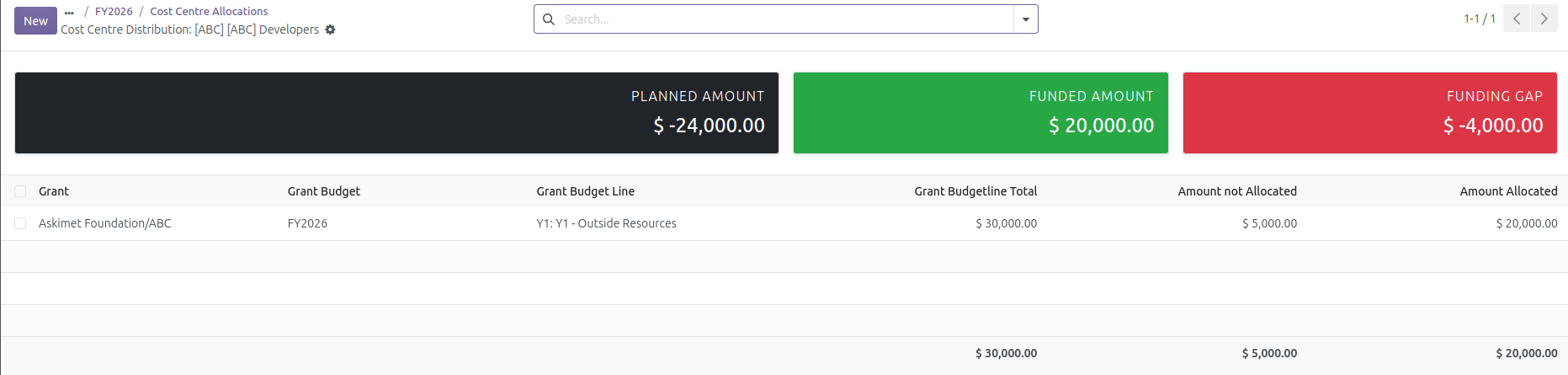
The New button can then be used to create a new record for allocating funds to the particular Cost Centre Budget Line. The following information needs to be provided when entering data.
Grant: this is a list of grants that are particular to the Cost Centre Budget’s Program
Grant Budget: this is a list of approved grant budgets available under the chosen grant
Grant Budget Line: this is a list of grant budget lines that are available under the chosen grant budget
Grant Budgetline Total: this is the total amount of grant funds under the particular grant budget line
Amount not Allocated: this is the total amount of grant funding available for allocation
Amount Allocated: this is the total amount of grant funding that is allocated to Cost Centre Budget line from the grant budget line
Important
Validations prevent over-allocation of grant funds over the Grant Budgetline Total the particular Cost Centre Budget line. Additionally, the only grants that are available for selection are grants that belong to the particular Cost Centre’s Program.
Budget Dashboard
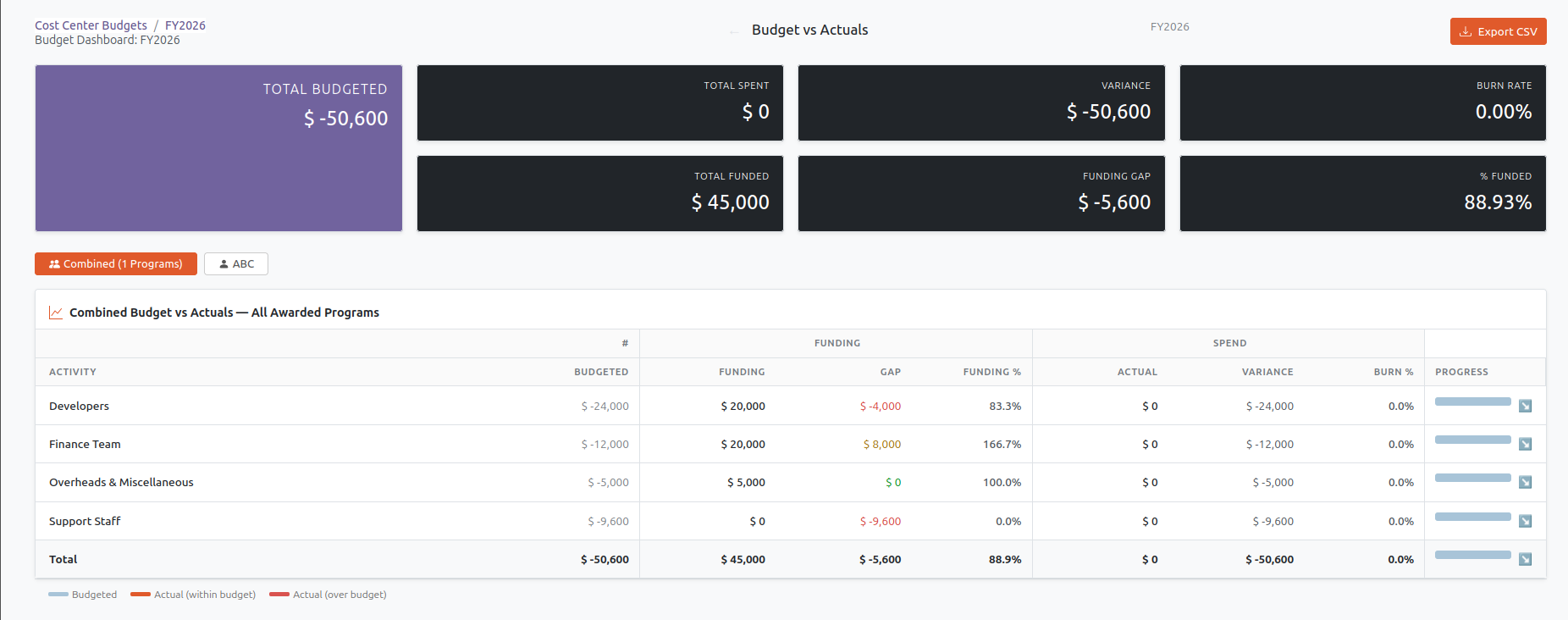
Finally, at any point in the life-cycle of making allocations the Cost Centre Budget Dashboard is available for analysis. The dashboard can be access from the particular Cost Centre and then clicking the :guidelabel:`Budget Dashboard` smart button.
The dashboard shows, for each Cost Centre Budget line a summary in terms of numbers and percentages, of total grant funding and budget use.